Not everyone who wants to play can sit at the same table. Grandparents live in another city, friends have moved abroad, and the office party happens on a screen. A 90-ball game still works: with a video call, our free 90-ball bingo caller and a PDF of tickets, you can host a full game of housie, tambola or tombola from your living room, with nothing to install.
This guide shows how to set up an online 90-ball game with friends or family, step by step.
What you need
- A video call with screen sharing. Zoom, Google Meet, Microsoft Teams, WhatsApp or any other app that lets the host share a screen.
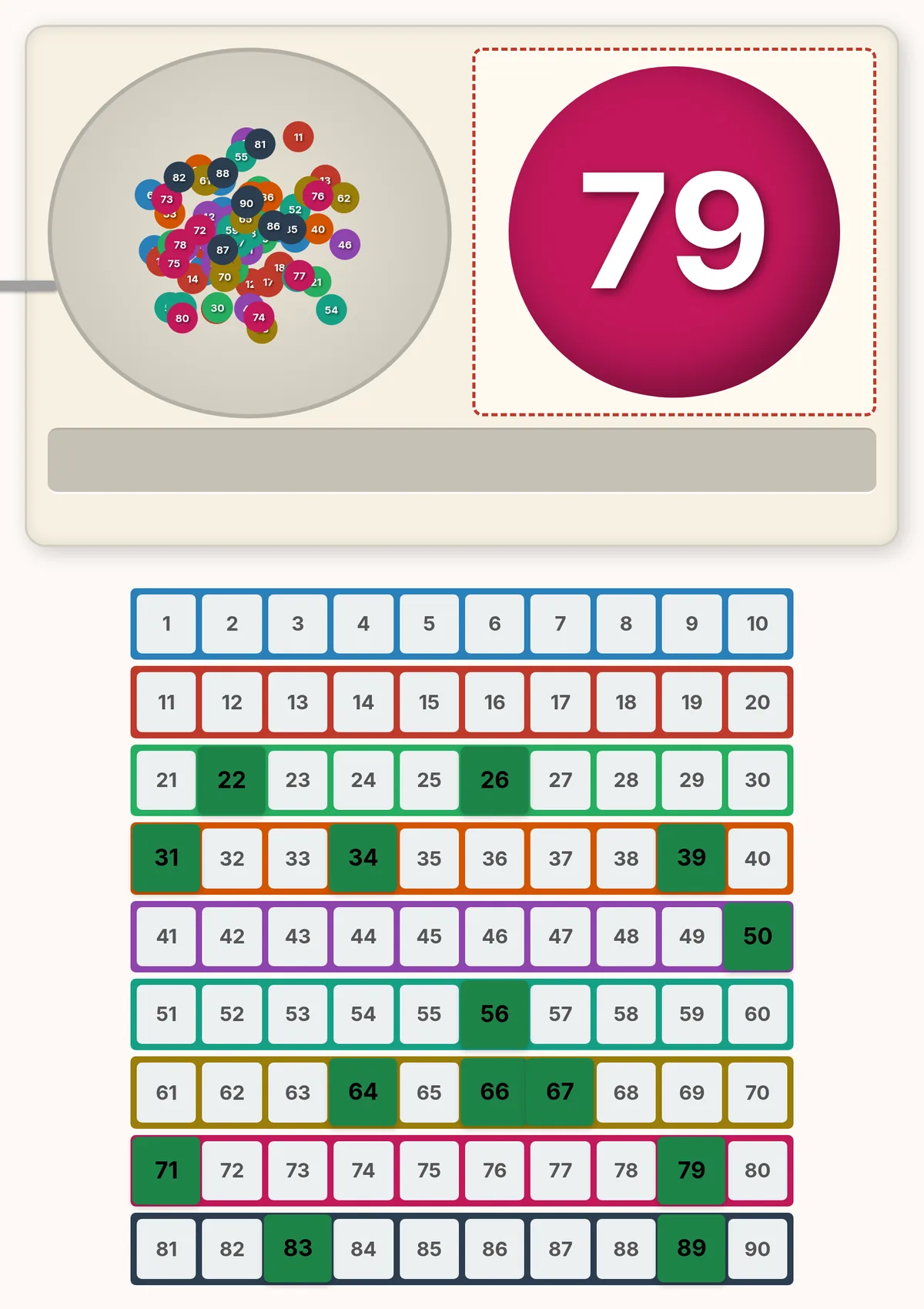
- Our 90-ball bingo caller, open on the host's computer. It draws every number from 1 to 90 once, announces each call aloud and lights it up on a board of all ninety numbers.
- Tickets for every player, made with the free 90-ball ticket generator. Each page of the PDF is one strip of six tickets.
- Something to mark with. A pen on a printed ticket, or any phone or tablet app that lets you draw on a PDF.
How to host the game, step by step
- Make the tickets. Open the 90-ball ticket generator, tick "Add Card Numbers (e.g. No. 001)" and download a free PDF with one strip for each player. Every page gets its own number, so everyone knows which strip is theirs.
- Send each player their page. Send everyone the PDF by WhatsApp or email and tell each player which card number is theirs. Players can print their page or mark it on screen.
- Share the caller. Start the call, open the caller and share your screen. In Zoom, Meet and Teams, tick the option to share sound too, so everyone hears the voice read each number. If you cannot, read the numbers out yourself.
- Agree on the prizes before the first spin. The usual 90-ball prizes are one line, two lines and a full house. Tombola players go for ambo, terno, quaterna, cinquina and tombola, and Indian tambola often adds Early Five and Four Corners. Our guide to how to play 90-ball bingo explains the rules.
- Spin. Press "Spin!": the ball rolls out big on the screen and its number lights up on the board. Give players a moment to mark their tickets before the next spin.
- Check every claim. When someone shouts, stop and ask them to read out the numbers on the winning line, then compare them with the board. Every called number stays lit until the game is over, so a claim takes seconds to check.
Tips for a smooth online game
- Go slower than in a hall. Video lags by a second or two, and players on phones need longer to mark. Wait until everyone is ready before the next spin.
- Use fullscreen for the calls, the board for the claims. "Fullscreen" shows just the machine and the big ball, which reads well even on a phone. Leave it when someone claims, so everyone can see the board as you check.
- Mute everyone but the host. Players unmute to claim. Background noise from ten kitchens drowns out the calls.
- Pick prizes that travel. A digital voucher, a small parcel in the post or simply the honour of hosting the next game all work when the players are far apart.